
YouTube Thumbnail Size and Dimensions Explained
The safest YouTube thumbnail size to start with is 1280x720 pixels in a 16:9 aspect ratio. That size is large enough for YouTube previews, blog posts, social cards, and most design workflows.
The practical problem is that not every video exposes every thumbnail size. A YouTube Thumbnail Downloader helps you check which sizes actually exist for a specific video instead of guessing from a generic size chart.
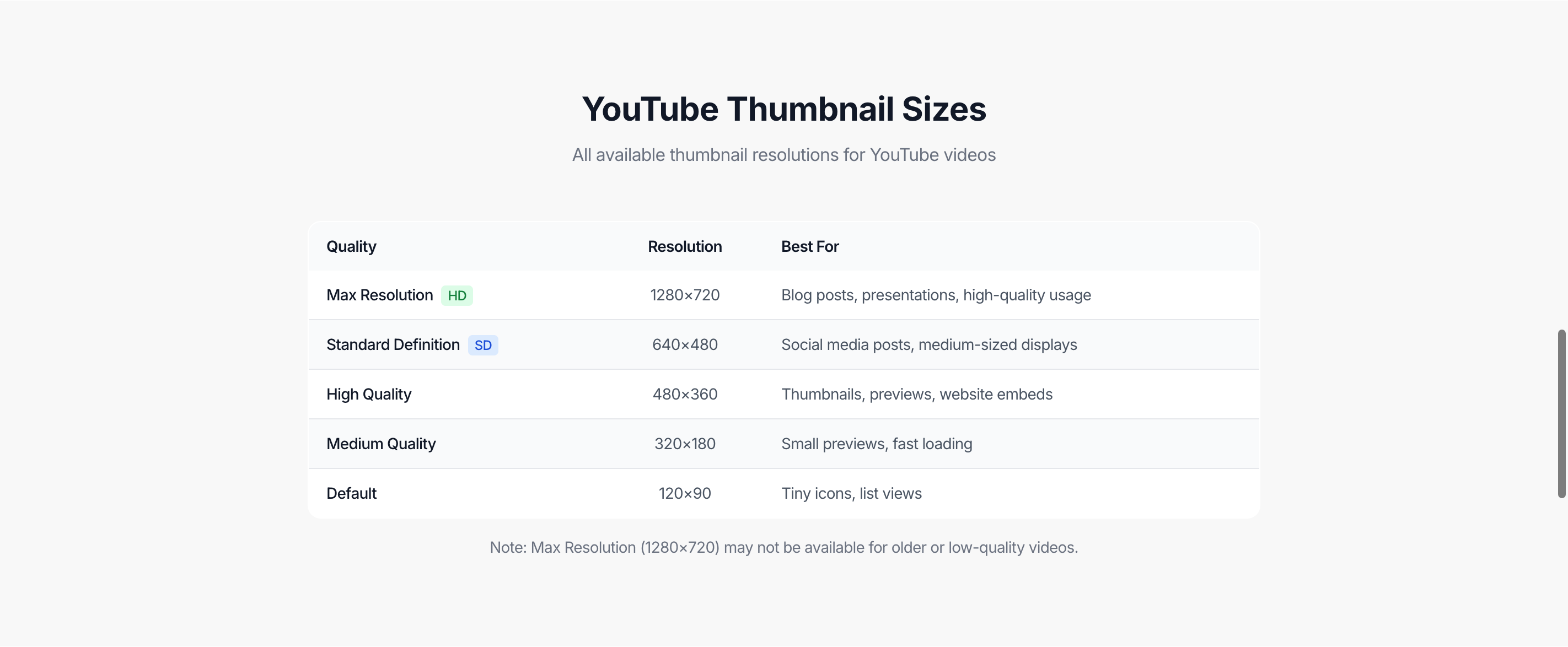
Common YouTube thumbnail dimensions
These are the sizes you will commonly see:
| Label | File name pattern | Dimensions | Best use |
|---|---|---|---|
| Max resolution | maxresdefault | 1280x720 | Blogs, presentations, large previews |
| Standard definition | sddefault | 640x480 | Smaller embeds and social previews |
| High quality | hqdefault | 480x360 | General preview images |
| Medium quality | mqdefault | 320x180 | Small cards and fast loading |
| Default | default | 120x90 | Tiny icons and lists |
The 1280x720 option is usually the one people want, but the lower sizes are still useful when you only need a small preview or a fast-loading image.
Why 1280x720 matters
1280x720 is the most flexible thumbnail size because it keeps the standard YouTube 16:9 shape. It works well when you need to:
- add a thumbnail to a blog article
- make a slide or course note
- prepare a social preview
- compare visuals across several videos
- keep enough detail for cropping
If the video exposes maxresdefault, use it first. If it does not, use the largest available size and avoid stretching it beyond its real dimensions.
How to check the actual thumbnail size
1. Copy the video URL
Use a normal watch URL, a youtu.be link, a Shorts URL, or an embed URL.
2. Paste it into the thumbnail tool
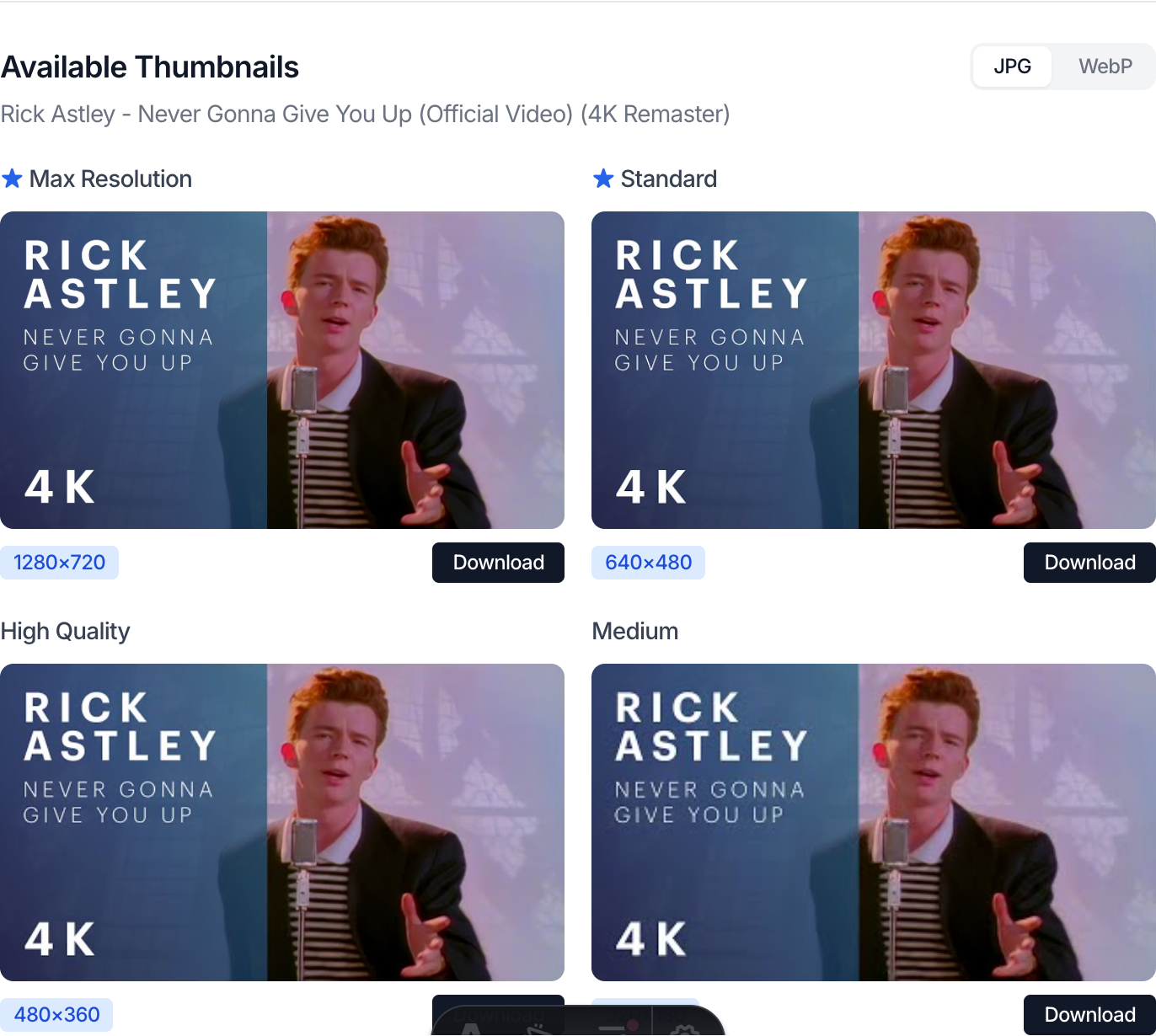
The thumbnail downloader reads the video ID and lists the available thumbnail files.
3. Pick the largest size that is actually available
If 1280x720 is present, choose it. If it is missing, choose the next best size instead of assuming the tool failed.
4. Match the size to your use case
For a small article card, 480x360 may be enough. For a large hero image, you need 1280x720 or another high-quality source.
Shorts, live streams, and old videos
YouTube Shorts and live streams can behave differently from normal uploads. Some Shorts use vertical visuals but still expose horizontal thumbnail files. Live streams may update their thumbnails after the stream ends. Older uploads may never have a max resolution thumbnail.
That is why the best workflow is not only “know the recommended size.” It is:
- know the ideal size
- check the real files
- use the largest image that fits your purpose
Common mistakes
Stretching a small thumbnail
If the largest available file is 480x360, stretching it to 1280x720 will look soft. Use it only where the display size is small.
Assuming missing max resolution means a broken tool
Often the file simply does not exist for that video. The downloader can show available files, but it cannot create a missing upstream image.
Ignoring aspect ratio
Cropping a thumbnail into a square or vertical format can cut off important text or faces. Check the final placement before publishing.
Downloading only one size
If you are not sure where the image will be used, keep both the largest image and one smaller fallback.
FAQ
What is the best YouTube thumbnail size?
1280x720 pixels is the safest default size because it matches YouTube’s 16:9 video shape and gives enough detail for most uses.
Is 1920x1080 better than 1280x720 for YouTube thumbnails?
For custom design work it can be useful, but YouTube’s common generated thumbnail file is usually 1280x720 for max resolution.
Why is maxresdefault missing?
The video may be old, lower resolution, a live stream, a Short, private, restricted, or simply missing that generated file.
Can I use a 480x360 thumbnail?
Yes, if the image appears in a small card or preview. It is usually not ideal for large hero sections or presentations.
Do YouTube Shorts use the same thumbnail dimensions?
Sometimes they expose the same generated files, but the visual crop may not match a normal horizontal video. Always preview the image.
What size should I use for blog posts?
Use 1280x720 when available. It keeps enough detail for responsive layouts and social preview images.
Does downloading a thumbnail change the video?
No. You are only viewing or saving an image file that YouTube already exposes for that video.
Is this an official YouTube tool?
No. It is an independent utility for checking and downloading available thumbnail images.
Use the tool
If you already have a video URL, open the YouTube Thumbnail Downloader, paste the link, and choose the largest available thumbnail size for your use case.
More thumbnail and sharing guides
Use these guides when a thumbnail size is missing or when you need to share the video at an exact moment.
Why YouTube Thumbnail Quality Options Are Sometimes Missing
See why max resolution thumbnails are not always available, what changes with Shorts and live streams, and how to interpret missing sizes correctly.
How to Share a YouTube Video at a Specific Time
Understand the difference between YouTube’s native share flow, manual timestamp parameters, and a dedicated timestamp generator.