
Why YouTube Thumbnail Quality Options Are Sometimes Missing
One of the most common questions around YouTube thumbnail downloaders is simple: why is the HD or max resolution option missing for this video? Users often assume the tool failed, but that is not usually what happened.
In most cases, the tool is showing the reality of what YouTube currently exposes. If a thumbnail size does not exist upstream, the thumbnail downloader cannot invent it. That is why explaining the limitation clearly matters as much as the download button itself.
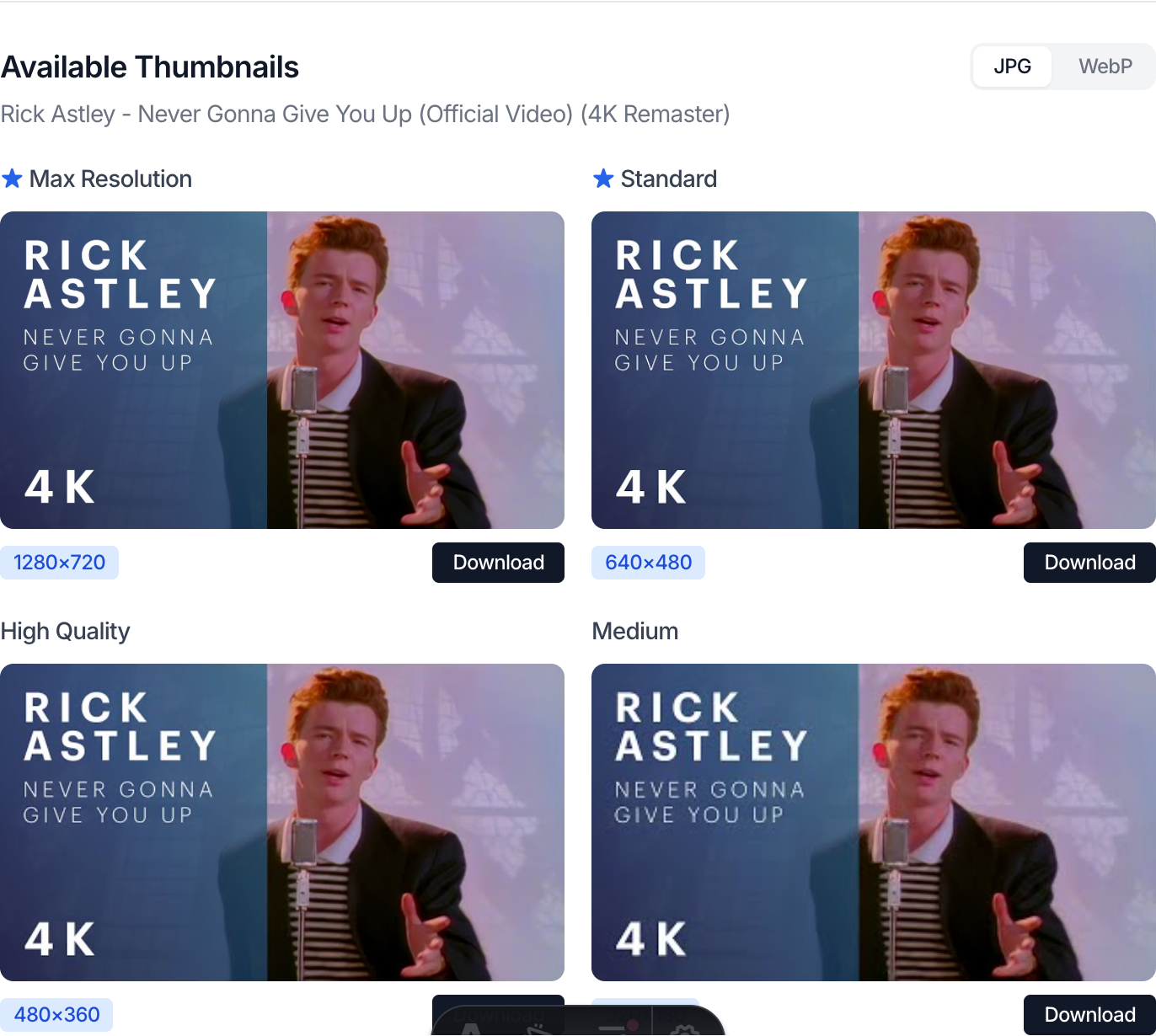
Why missing sizes happen
YouTube thumbnails are not uniform. Different videos expose different image files depending on how they were uploaded, processed, or updated. That means:
- some videos have a
maxresdefaultimage - some only have
sddefault - some older uploads stop at smaller sizes
- Shorts and live streams can behave differently from standard uploads
When people expect every video to have a 1280×720 thumbnail, they are expecting a consistency YouTube does not always provide.
Step-by-step: how to read thumbnail quality correctly
1. Check which sizes actually appear
A good thumbnail downloader should list every size it can detect, not just a single “HD” button. This matters because the absence of one file does not mean the entire video is unusable.
2. Compare the resolution labels
The difference between 1280×720, 640×480, and 480×360 changes how useful the image is for your task. Some uses genuinely require the largest file. Others do not.
3. Match the thumbnail size to the use case
If you are using the image for:
- internal notes
- social previews
- design references
- documentation
then a smaller size may still be perfectly acceptable.
4. Decide whether the limitation is acceptable
Sometimes the right answer is “use SD and move on.” Sometimes the right answer is “this video does not provide the quality level I need.” The key is to make that decision based on the available files, not on an assumption that the tool should always output HD.
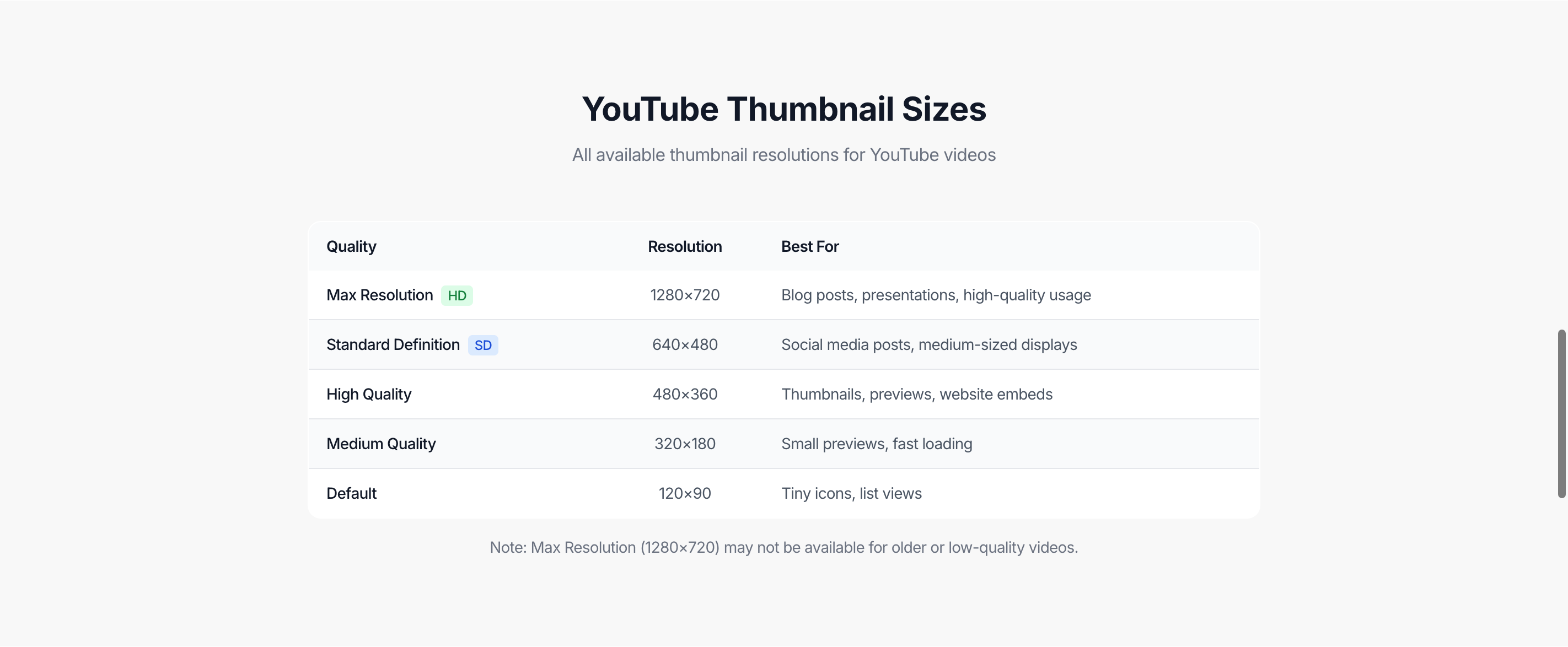
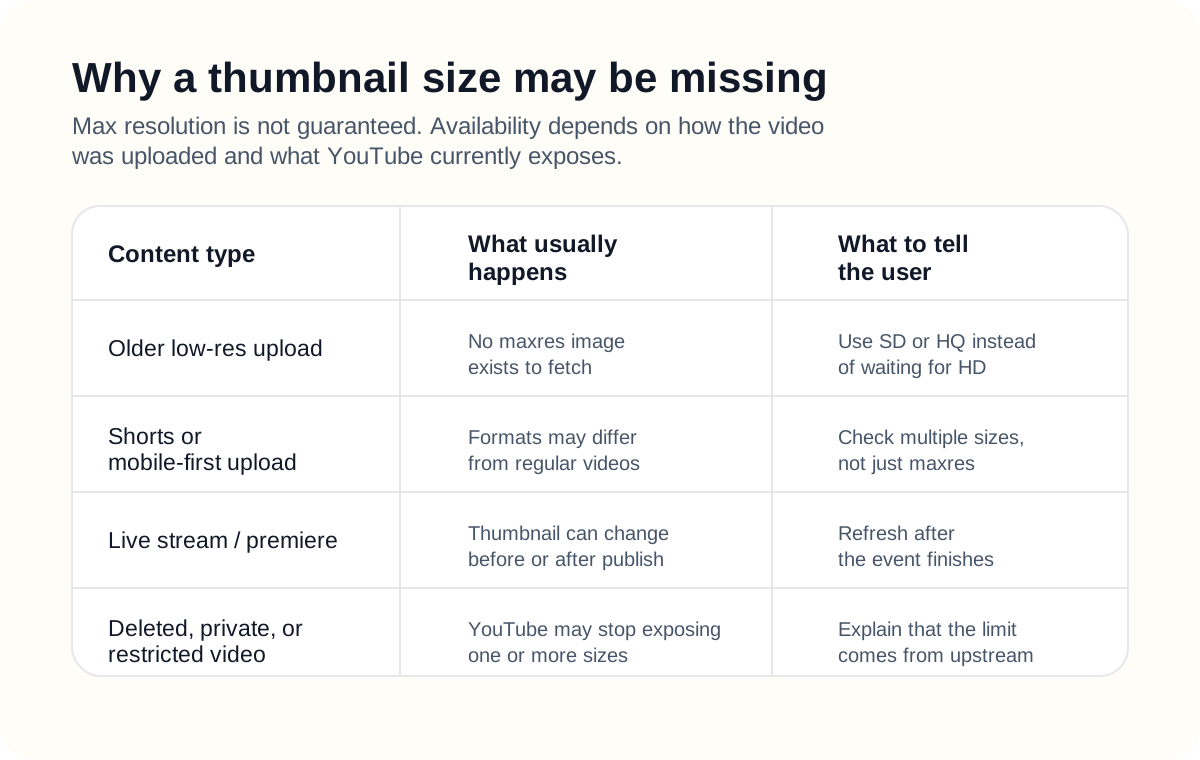
What usually affects max resolution availability
Older or lower-quality uploads
If the original video was uploaded years ago or in lower quality, a high-resolution thumbnail file may never have been created.
Shorts
Shorts can expose thumbnails differently from standard landscape videos. That does not always mean the downloader is wrong; it often means the asset set is different.
Live streams and premieres
Thumbnail behavior can change before, during, or after a live event. The image you see before publish may not match the final published set.
Restricted or unavailable videos
If a video is private, deleted, region-restricted, or otherwise partially unavailable, one or more thumbnail variants may disappear.
A real example
Suppose you want a thumbnail for a presentation deck. You need enough quality that text and faces still look good on a slide. You paste the video URL and notice that max resolution is missing, but standard definition is still available.
That result tells you something important:
- the downloader is working
- the video does have accessible thumbnails
- the largest file YouTube currently exposes is not the ideal presentation size
At that point, the decision is practical:
- use the smaller size if quality is acceptable
- or find another source image if the use case is more demanding
That is much better than assuming the tool is broken and trying the same request over and over.
Common mistakes
Assuming every video should have max resolution
This is the biggest misunderstanding. Not every video has a max resolution thumbnail file.
Treating missing HD as a downloader bug
Sometimes it is a bug, but usually it is an availability limitation. The difference matters, especially if you are troubleshooting repeated failures across many different videos.
Ignoring content type
Standard uploads, Shorts, live streams, and premieres do not always behave the same way. If you skip that distinction, you will misdiagnose the problem.
Using a low-quality thumbnail for the wrong purpose
A smaller image can be fine for internal reference, but it may not be good enough for high-quality publication or presentation use.
Best practices
- Check all available sizes before deciding the download “failed.”
- Match the size you get to the actual job you need it for.
- Expect more variation with Shorts, live streams, and older uploads.
- Explain missing HD as an upstream availability issue when helping other users.
- Keep a fallback workflow for videos that do not expose a usable large thumbnail.
Related tools
- Use the YouTube Thumbnail Downloader to inspect all currently available sizes.
- If you are building a reference set for course planning, also use the YouTube Playlist Length Calculator to estimate the time cost of the same content.
- If you need a clean shareable clip instead of the image itself, use the YouTube Timestamp Link Generator.
FAQ
Why is the HD thumbnail missing for one video but not another?
Because the available thumbnail files depend on the specific video and how YouTube processed it, not just on your downloader.
Do Shorts always have the same thumbnail sizes as normal videos?
No. Shorts can expose different thumbnail behavior, so do not assume the exact same quality ladder.
Can live streams change thumbnail availability later?
Yes. Thumbnail behavior can shift before or after a live event finishes processing.
Is standard definition still usable?
Often yes. It depends on whether you need the image for casual reference, social preview, or higher-quality publication.
Does a missing size mean the downloader is broken?
Not by default. First check whether smaller sizes are still available. If they are, the issue is usually asset availability, not total failure.
Conclusion
When YouTube thumbnail quality options are missing, the right first assumption is not “the tool failed.” The right first assumption is “this video may not expose every thumbnail size I expected.”
A good downloader helps by making those limits visible. That gives you enough information to choose a fallback size, change the use case, or move on without guessing.
Read next
These guides explain other YouTube workflow issues that look like tool problems but are often caused by the underlying platform.
Why a YouTube Playlist Duration Result May Look Wrong
Troubleshoot differences caused by private videos, unavailable items, live streams, region restrictions, or playlist changes over time.
How to Share a YouTube Video at a Specific Time
Understand the difference between YouTube’s native share flow, manual timestamp parameters, and a dedicated timestamp generator.